Project details
- Project: UX/UI Design & Development
- Role: UX Designer & Researcher <
Business Event Manager (BEM) is an internal application of the International Finance Corporation (IFC) of the World Bank Group. The application is used by business users to process and account for all IFC transactions.
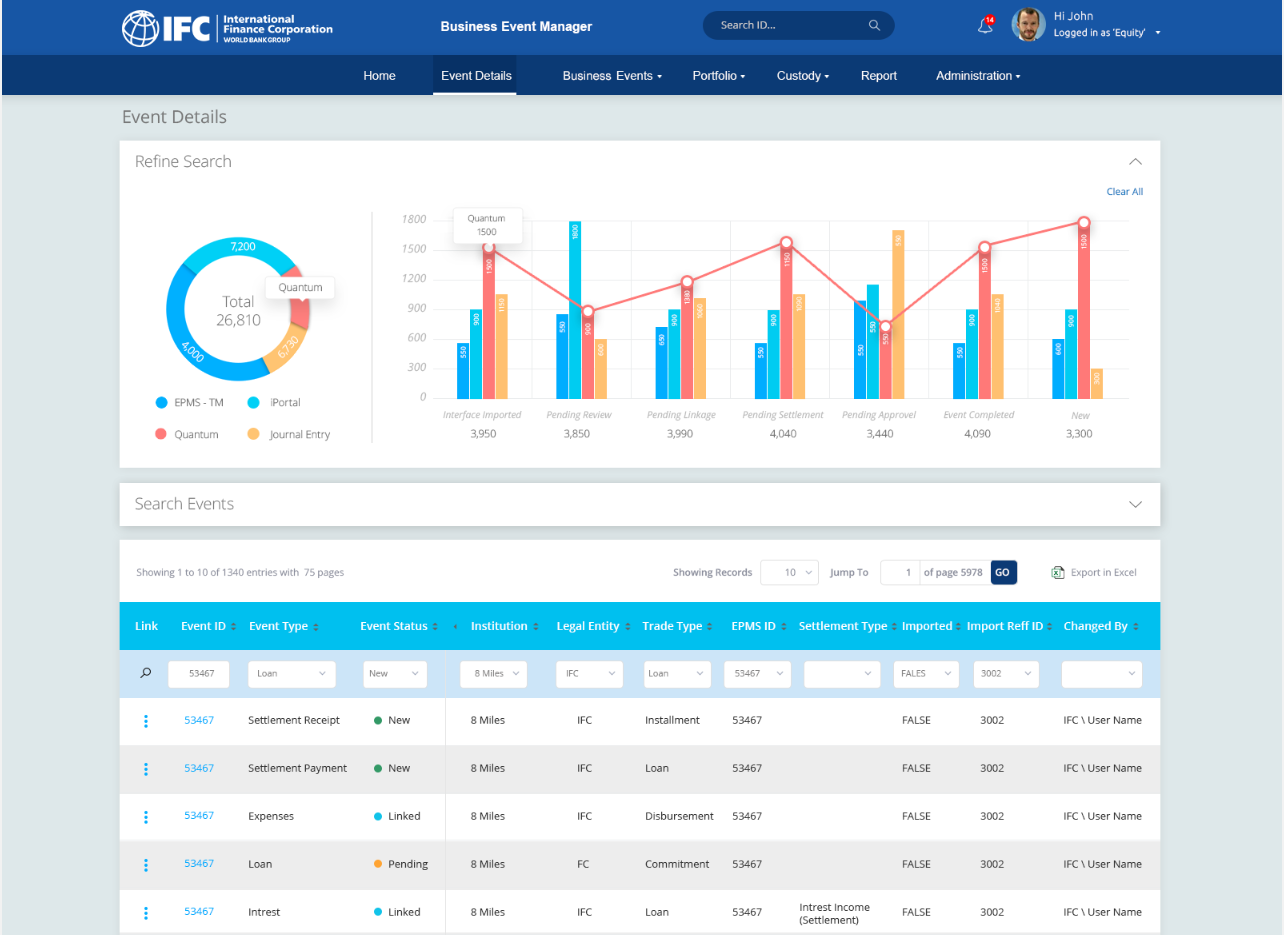
The existing BEM application was upgraded in two phases: the first focused on User Experience Design and the second on converting the design into a working application using the latest version of Angular. The project involved design modification, technology upgrades, performance enhancement, responsive design implementation, updated information architecture, and an improved dashboard, all following a User-Centered Design approach.
I was responsible for the overall user experience design, conducting user research to understand pain points, and creating prototypes that address user needs while aligning with the business objectives.
I created detailed prototypes in Axure, which served as the foundation for the final design and guided the development team in implementing the updated interface and features.
I developed a custom set of icons that were used throughout the application to ensure a consistent and modern visual language, enhancing the overall user experience.
One of the main challenges was understanding the complex workflows involved in the IFC's business processes and translating them into a user-friendly interface. Another challenge was ensuring that the upgraded application could handle high transaction volumes efficiently while remaining responsive across devices.
Research & Analysis
Define Requirements
Prototyping
Design
Development & Testing
Through user interviews, surveys, and contextual inquiries, we gathered insights on the pain points and needs of IFC’s business users. This analysis informed the redesign of the application's information architecture and interface.
User Interviews
We conducted interviews with IFC users to understand their preferences and expectations for the redesigned application.
Data Analysis
We leveraged existing user data to identify patterns and trends that would inform the design of the upgraded BEM application.
Competitive Analysis
We analyzed other financial applications to identify best practices and potential improvements for BEM.
The final design solution involved creating a more intuitive, user-centered interface that aligned with the business processes of IFC. The design featured improved navigation, streamlined workflows, and responsive layouts that worked seamlessly across all devices.
Streamlined Workflows
We simplified complex workflows to enhance user efficiency and reduce the time needed to complete tasks.
Responsive Design
The design was optimized for various devices, ensuring that users could access the application from desktops, tablets, and smartphones without loss of functionality.
Enhanced Navigation
The navigation was reorganized to be more intuitive, making it easier for users to find the information they need.
We conducted multiple rounds of user testing to ensure that the upgraded BEM application met the needs of its users. Based on user feedback, we made several refinements to the interface and functionality, including adjustments to the navigation flow and the responsiveness of the application.
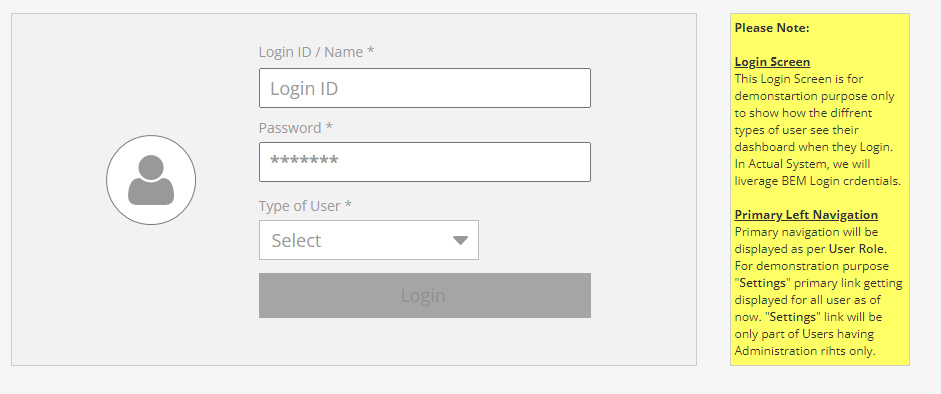
We have ntially developed low Low-fidelity prototypes.Discussed those prototype with the stakeholders and got the feedback from them. Based on the feedback we them made the High-fidelity prototypes.
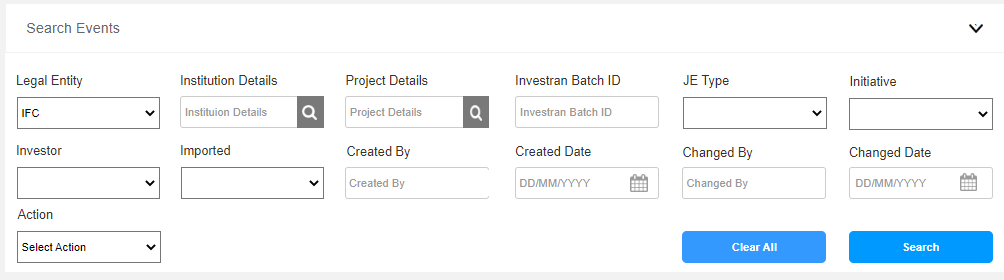
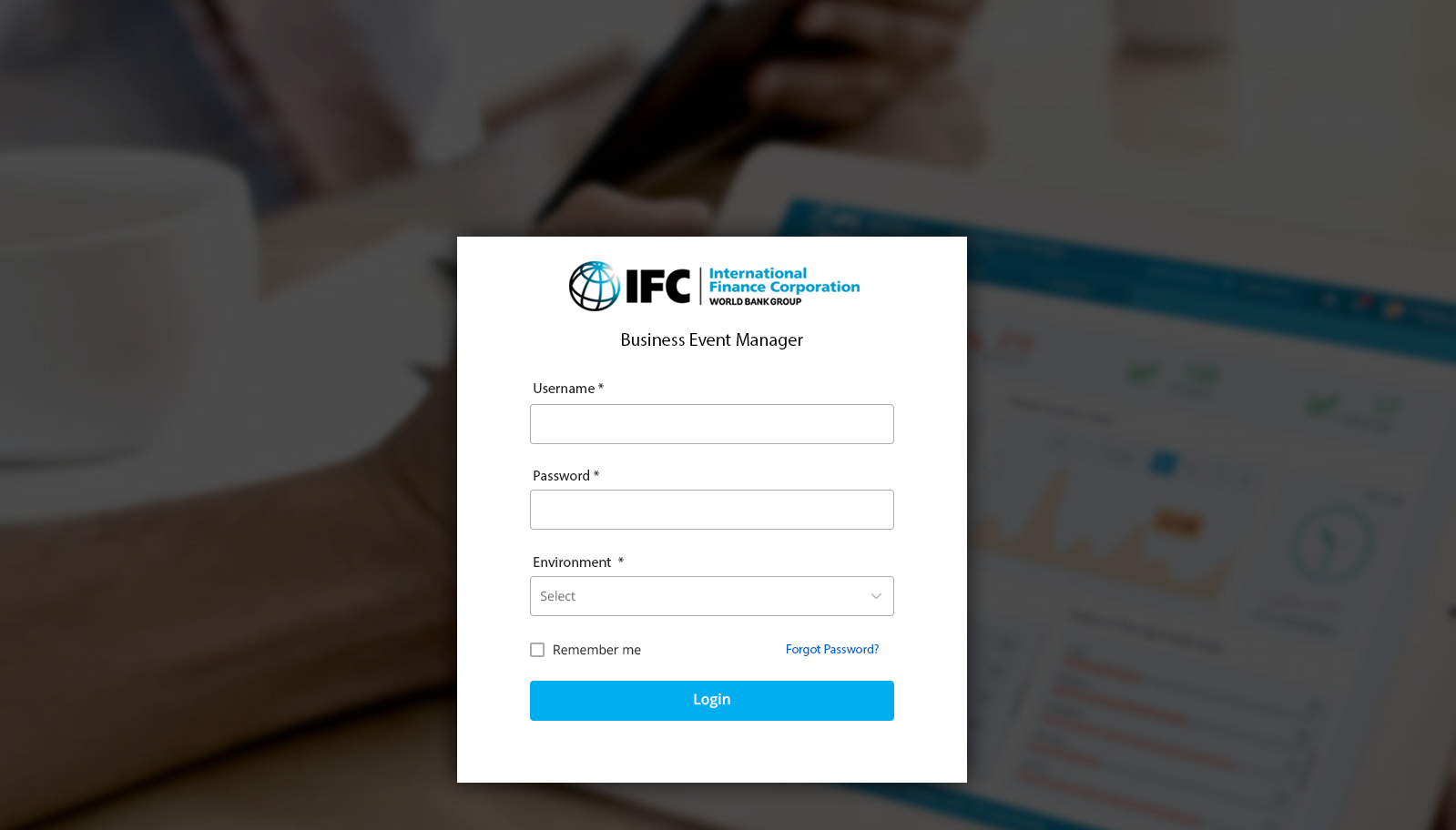
We made high-fidelitywith with those Low Fidelity prototypes put together. We later conducted few test with the prototypes with the IFC staff this allowed us to gather feedback and make necessary adjustments to better meet the needs of IFC staff.
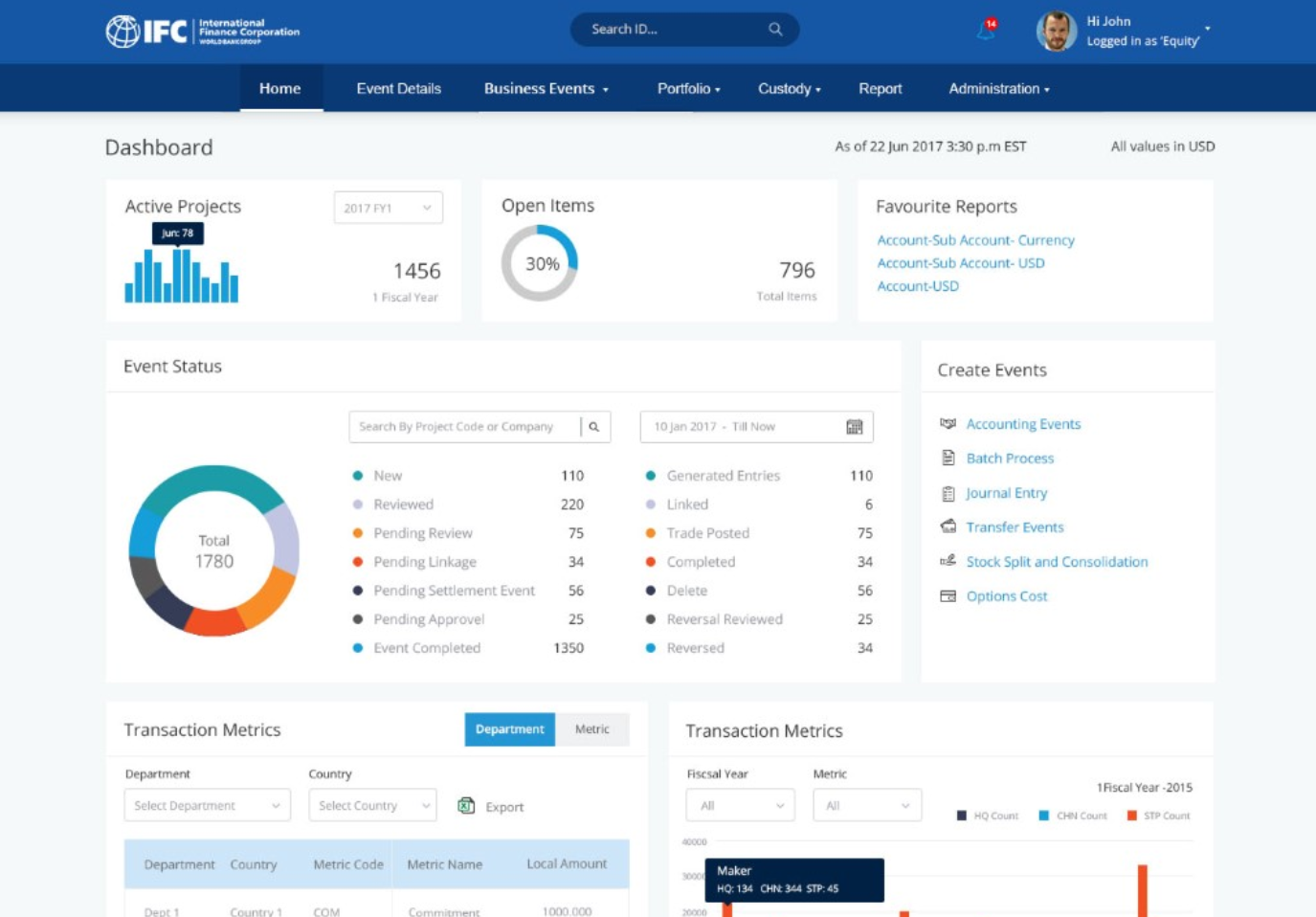
To further enhance usability, we introduced features such as keyboard shortcuts, improved accessibility options, and more informative tooltips to guide users through complex processes. We also added a feature that allowed users to customize their dashboards, enabling them to prioritize the information most relevant to their roles.
Improved Performance
We optimized the application's performance to handle high volumes of transactions with minimal latency, ensuring a smooth user experience.
Responsive Dashboard
The updated dashboard provided real-time insights into transactions, tailored to the user's preferences and roles.
Modernized Interface
The interface was modernized with a cleaner design, improved color contrasts, and a more consistent visual language across the application.
With additional time, I would have further refined the user experience by conducting more rounds of user testing, focusing on edge cases and scenarios that might be less common but still impactful.
This project reinforced the importance of user-centered design and the need for continuous feedback loops throughout the development process. It also highlighted the challenges of upgrading legacy systems and the importance of thorough planning and communication across teams.